
User guide for FuelMor Driver App v2, also known as FDA v2.
Press on View to view routes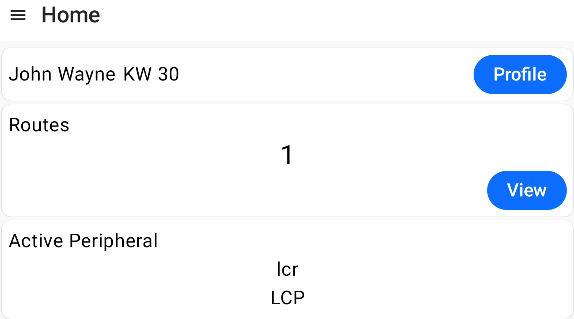 ---------------------------------------------------------------------
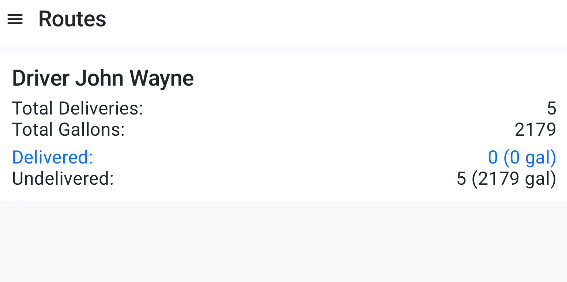
Press on the route information
-------------------------------------------------------------------
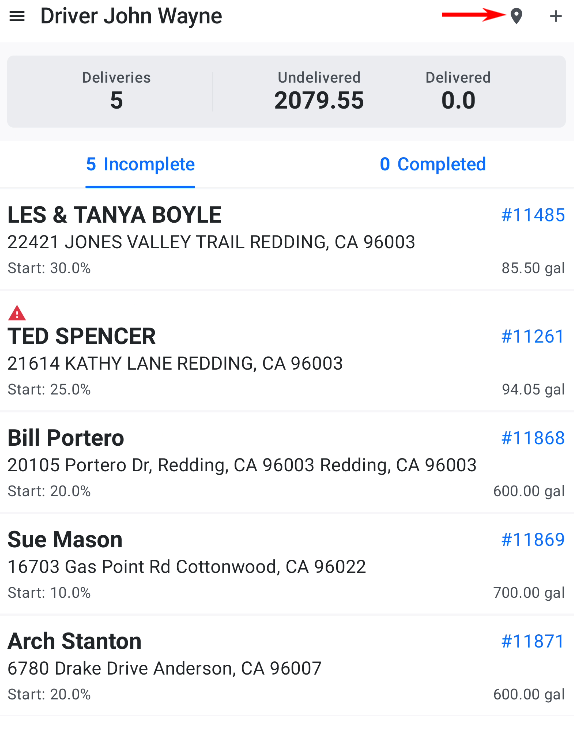
Press on map icon to view deliveries on a map.
----------------------------------------------------------------
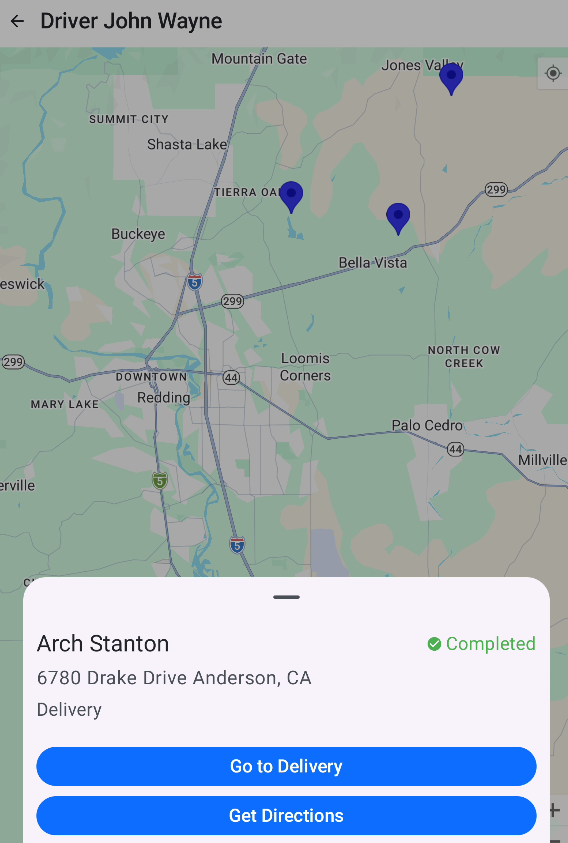
Route map displays pending deliveries in color blue and
completed deliveries in color green.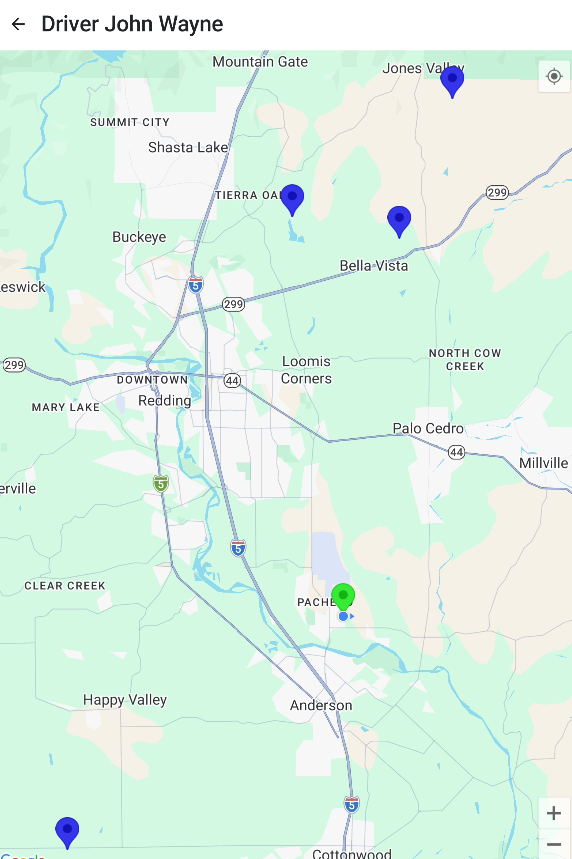
---------------------------------------------------------------
Press on a delivery marker to view menu. Click on
Go to Delivery to view the delivery.
---------------------------------------------------------------
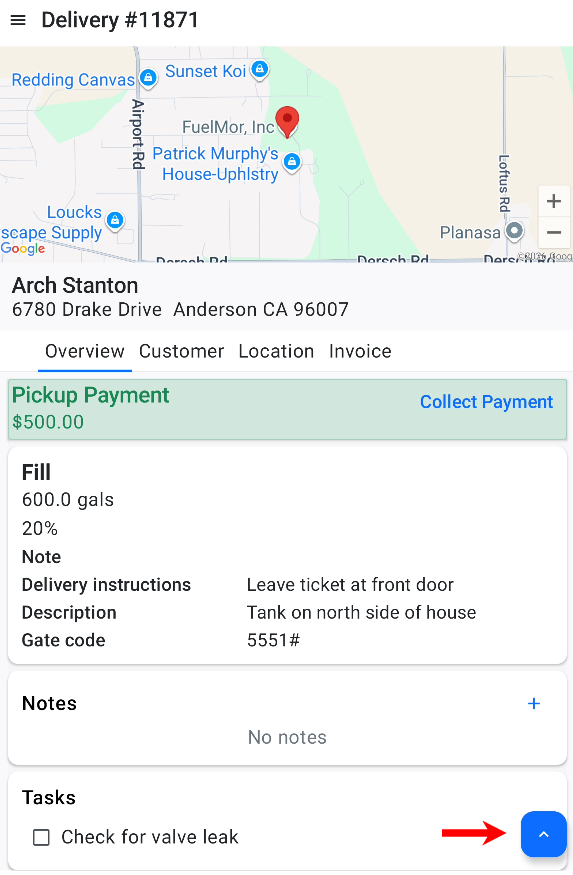
Click on delivery controls button
-------------------------------------------------------------
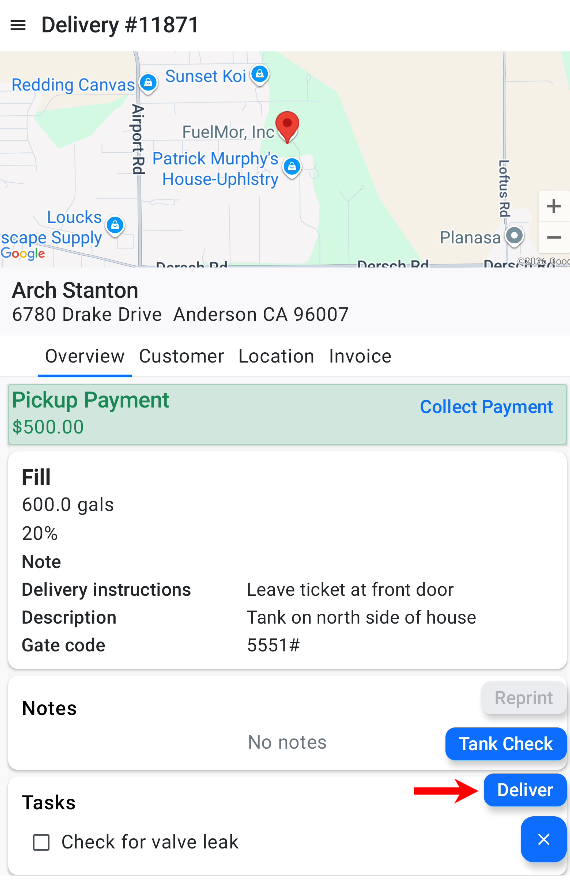
Press on Delivery button
-------------------------------------------------------------
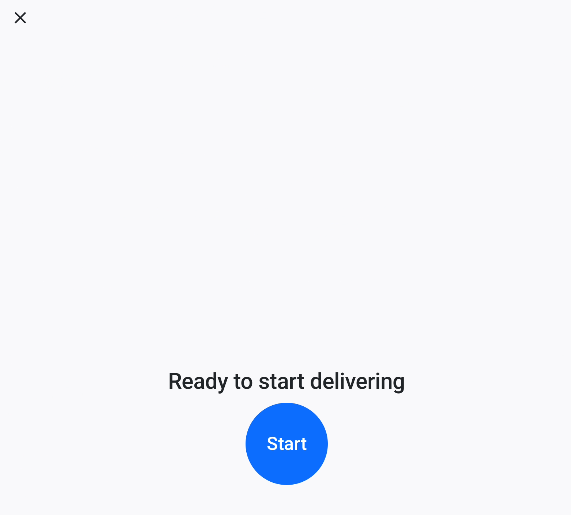
Press on "Start" to start delivering or "X" to close the start delivery window
-------------------------------------------------------------
Press on End, Pause or Hold to cancel delivery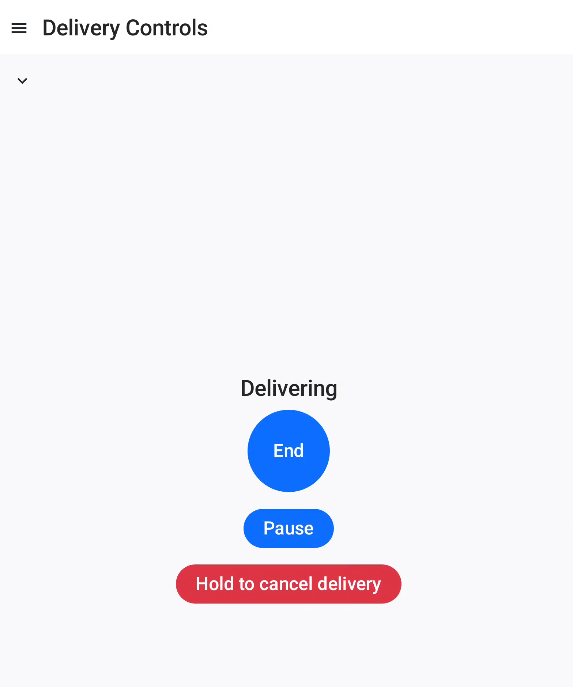
-------------------------------------------------------------
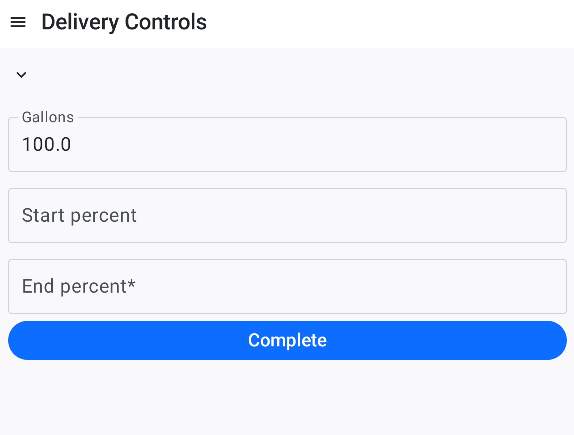
Enter the tank end percent then press on Complete to complete delivery
---------------------------------------------------------------
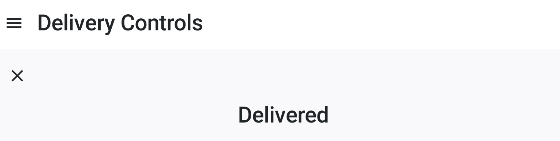
Press on the "X" to return the completed delivery or press on hamburger menu
Click here for other topics covering FDA v2